Every policy current, approved, and actually in use
When a procedure changes, nobody should work from last quarter’s copy. One library, one approval path, and a record of who has the current version.
Trusted by 1500+ enterprises
-
1,500+
Clients across 48 countries
-
50%+
Of customers in the Fortune 500
-
65%
Of organizations putting more effort into quantification
-
15,000+
Members in the Archer risk community
Close the distance between the approved policy and daily practice
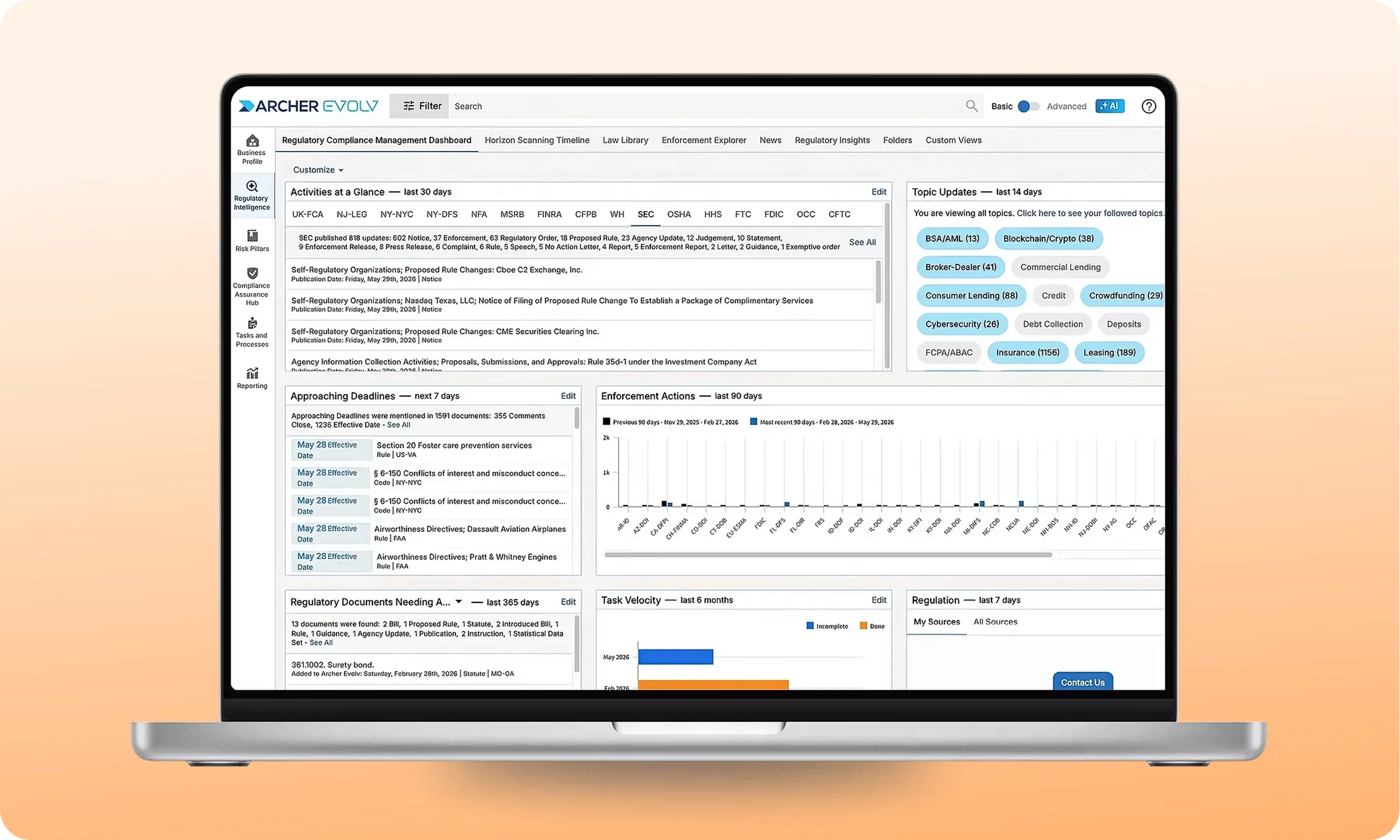
A regulation shifts and forty documents need revision. Your reviewers work the same draft, the workflow you defined carries each one to publish, and the teams who follow those procedures get the current version.
-
One published version, always the current one
-
A record of who has the current version
-
Approvals attached, dated, and exportable
How a policy travels from first draft to the people who follow it
Document Governance spans the complete lifecycle from drafting through attestation.
Governed, not just stored
Drafting, review, and approval all happen inside the record, so the document you publish carries its own workflow, permissions, and full history with it.
Everyone knows the change
Attestation tracking shows which people received a published change, so a procedure update reaches the floor instead of resting in a folder nobody opens.
Linked to your controls
Template metadata maps to fields in your Archer instance, so a published policy links to the obligations and controls it governs instead of standing on its own.

Everything that keeps the policy program running once it is live
Complete toolkit for authoring, governance, and distribution.
1
Reusable document templates
You build a template once with its metadata fields, workflow, and body structure, so a new procedure starts in the right shape and your library stays consistent.
2
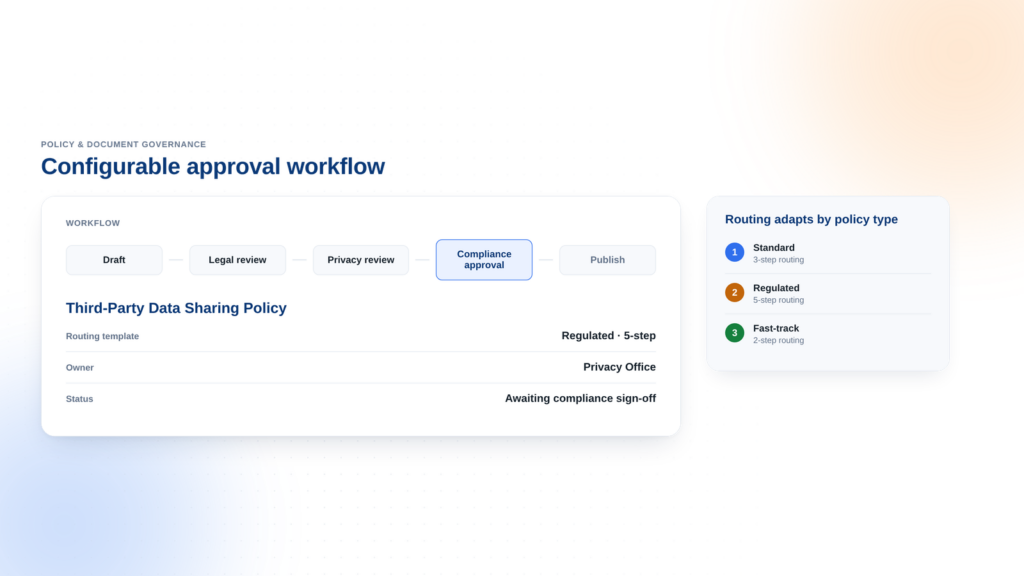
Configurable workflows
You define the review stages between drafting and publishing, so the approval path matches how your organization actually signs off rather than a fixed model.
3
Co-editing on one version
Your reviewers edit the same draft at once and see each other’s cursors, while the version your organization currently follows stays untouched until you publish.
4
Redlines and diff stepper
Reviewers see additions in green and removals in red, and the stepper walks them through every change, so approval rests on what moved instead of a full reread.
5
Permissions built by role
You give owners, delegates, contributors, and readers access at the document, version, or draft level, so the right people edit and everyone else still reads.
6
Tags for your taxonomy
You tag published documents by department, document type, or business line, so a compliance officer filters to the twelve policies that matter and skips the rest.
What you get with Document Governance
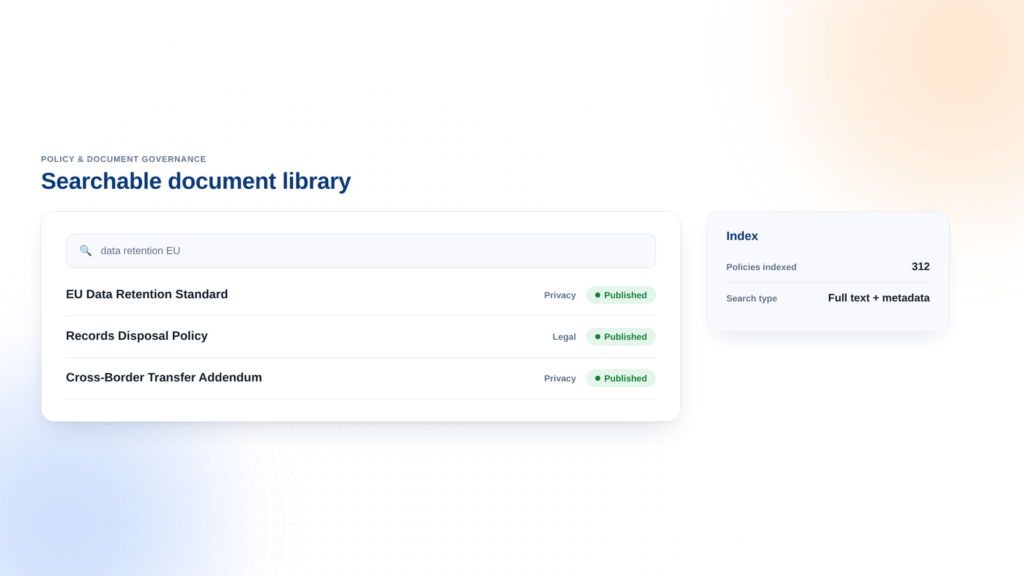
Searchable document library
Full text search across every published document.
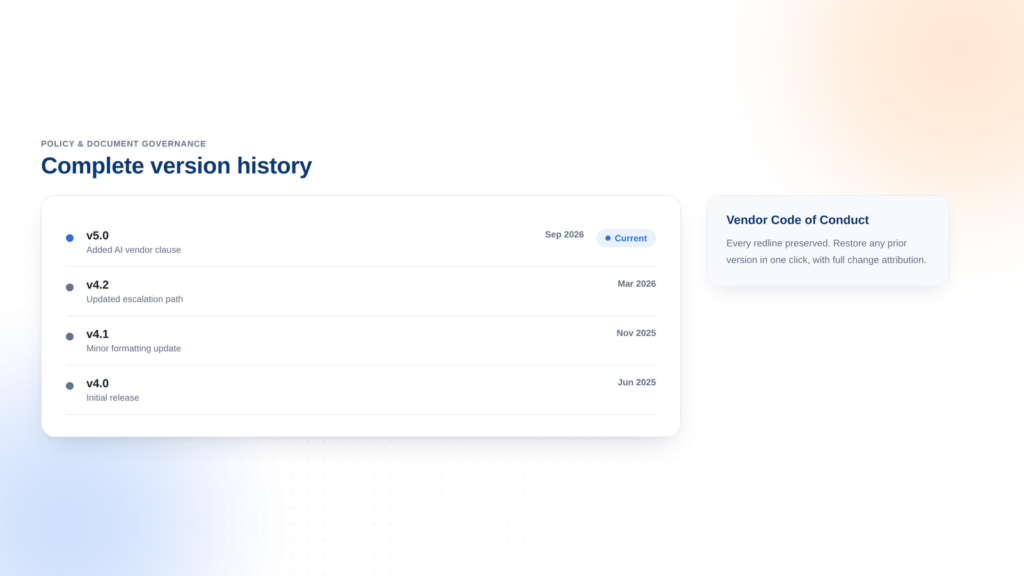
Complete version history
Every prior version kept with its approvals.
Configurable approval workflow
Review stages matching how your teams approve.
The images used above are not actual product screenshots.
Policy governance across every scenario
Document Governance handles the complete policy lifecycle in every context.
-
Enterprise policies
Every policy sits in one searchable library, drafted by the people who own it and approved through the path you defined. The published version is the one anyone can act on, and each prior version stays on file with its approvals attached.
-
Operating procedures
The procedure your operations team follows updates on the same controlled path as your policies, and the template holds its structure. Attestation tracking shows who received the change, so a process update reaches the floor and not a folder.
-
Regulatory change response
A rule changes and twenty procedures need revision. You open a new version of each, reviewers work in parallel, and the workflow carries every one to publish. Attestation shows who holds the current copy, and prior versions stay on file.
-
Board-ready reporting
Generate executive and board reports in minutes instead of days.
-
Confident compliance
Stay continuously audit-ready across every framework you operate under.
-
Scales with you
Onboard new units, frameworks, and regions without rebuilding your program.
How Archer compares to a repository plus a workflow tool
Archer brings approval, distribution, and control linkage into one system.
A repository plus a workflow tool
Separate systems for storage and approvals.
Here’s what you get
-
File storage
-
Separate approval process
-
Manual distribution tracking
Archer Document Governance
One integrated system for the complete policy lifecycle.
Here’s what you get
-
One library and one approval path in the same system
-
Attestation tied to the published version
-
Policy linked to the obligations and controls it governs
-
Permissions at the document, version, and draft level
-
One activity log spanning document, version, and draft
-
Redlines and a change stepper inside the approval step
DIY Compliance
Spreadsheets, shared drives, and tribal knowledge.
Here’s what you get
-
Manual tracking
-
Custom infrastructure
-
Custom updates
Explore Our Case Studies

Eastern Bank Uses Archer to Drive Business Processes and Streamline Compliance
- View case study:
- View case study: Banorte Bank Gains Accurate Picture of Risk with Archer
- View case study: Intuitive Surgical Migrated to Archer SaaS for their journey to empowered risk management
- View case study: Operational Resilience for Financial Services Institutions
More than 1,300 organizations run on Archer®, including half the Fortune 500 and 37 of the top 50 global banks. See what their teams were up against, what they built, and what changed.
Eastern Bank Uses Archer to Drive Business Processes and Streamline Compliance

Banorte Bank Gains Accurate Picture of Risk with Archer

Intuitive Surgical Migrated to Archer SaaS for their journey to empowered risk management
Operational Resilience for Financial Services Institutions
Trusted by the teams who carry the risk
Risk, compliance, and audit leaders on what changed after Archer Evolv was implemented.

We recognized the need for a GRC software platform that would be central to our ability to improve and transform our enterprise risk and compliance processes.

Archer is the source of truth, and it creates a nice audit trail for us. As an insurance company, we're audited by every governmental entity. Now we can say, here's our repository, take a look.

Risk aggregation is a big point for us, to see where our risk is located within the organization, and to give greater visibility for boards and executives.

Turkcell is using Archer as the main GRC tool in the company. It provides us a transparent and safe governance framework.

Archer gives us the ability to boil things down into numbers and specifics versus generalities. It's management by fact versus intuition or feel.

It connects all the different applications together, so you can use those cross-references and connections to make better business decisions, because you have it all in one place.
Frequently asked questions
Answers to what policy owners and compliance leaders ask before adopting Document Governance.
You do not rebuild the library by hand. Bring your existing documents into templates that match how you already write policy, publish them through the workflow you define, and version history runs from that point forward.
Yes. Reviewers edit the same draft at the same time and see each other’s cursors and highlights as they work. Comments attach to a point or a passage, and redlines mark every addition and removal, so nobody merges competing copies by hand.
The activity log holds every action taken on a document, its versions, and its drafts, and it exports to CSV. You send the record of who drafted, reviewed, approved, and published, plus the version that was in force on the date in question.
Document Governance runs the document itself, from drafting and review through approval, publication, and version history. Policy Program Management runs the program around it, mapping policies to risks and controls. Many teams run both.
Template metadata maps to fields in your Archer instance, so a published policy carries its links to the obligations and controls it governs. A policy owner opens the policy and sees what it covers rather than tracing connections by hand.
Permissions run at the document, version, and draft level. Owners hold full control, delegates act for them, contributors draft with owner approval to merge, and readers see the published version. Only the owner applies tags to published documents.