Answer the board’s risk question the day they ask it
Today that answer takes two weeks of email, because every unit rates risk its own way. In Archer, they all rate against one scale you can defend.
Who already works this way
-
1,500+
Clients across 48 countries
-
50%+
Of customers in the Fortune 500
-
65%
Of organizations putting more effort into quantification
-
15,000+
Members in the Archer risk community
Where the two weeks actually go
Each unit keeps its own rating scale and its own spreadsheet. Your team spends the first week translating and the second reconciling, and the number you present is already a month old. One register ends the translation.
-
Every unit assesses against the same taxonomy
-
Each risk shows the control that covers it
-
Snapshots show how a rating moved since last cycle
What changes for your units, your team, and your board
Archer Evolv delivers enterprise capabilities for companies of all sizes.
Consistency across units
Your divisions rate against one scale. A high risk in operations means what it means in manufacturing, and the comparison holds up under questioning.
Decisions on current data
Nightly snapshots and tracked thresholds put current exposure in front of leaders, not the number someone last dropped into a deck.
Accountability, by name
Every risk, control, indicator, and loss event carries a named owner and a due date. Work lands with the person who can act on it.

One record, nine ways in
Archer Evolv is specifically designed to meet the needs of GRC teams and business users.
1
Ask the record anything
Anyone with permission queries the risk record in plain language, and Archer Evolv Foundation answers with a citation. No report build, no wait.
2
One taxonomy, defined once
Define enterprise risks and the intermediate risks beneath them once. Every unit assesses against that structure, and comparisons between divisions hold up.
3
Risks paired with their controls
Capture impact, likelihood, owner, and status for each risk, then link the controls that mitigate it. The register shows coverage instead of a list of worries.
4
Assessments your owners will finish
Scope by unit or process, generate an RCSA for each, and route it automatically. The plant manager confirms what still applies instead of facing a blank form.
5
Indicators that warn you early
Set red and amber thresholds, numeric or qualitative, and Archer tasks the metric owner on the frequency you choose. Trends surface before a loss does.
6
Loss events with a root cause
Log occurrence, discovery, and loss dates, work the root cause and impact analysis, then link the event back to the risk and the control involved.
How your team will use Archer
Enterprise risk management
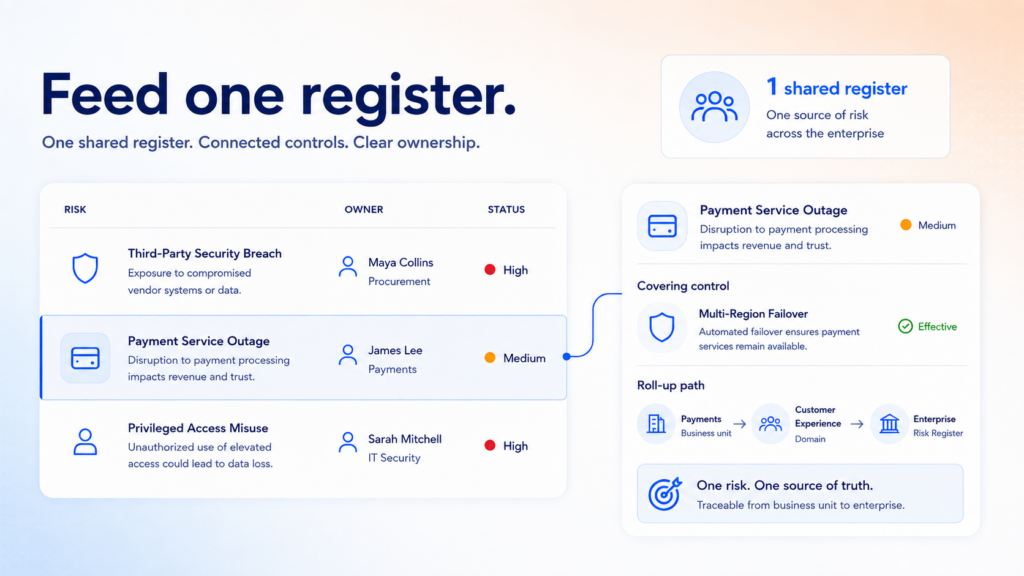
Your units feed one register assessed against one taxonomy, and each risk shows the control covering it. Leadership gets an exposure view that survives questioning, and Foundation takes the follow up straight from the record.
Operational risk management
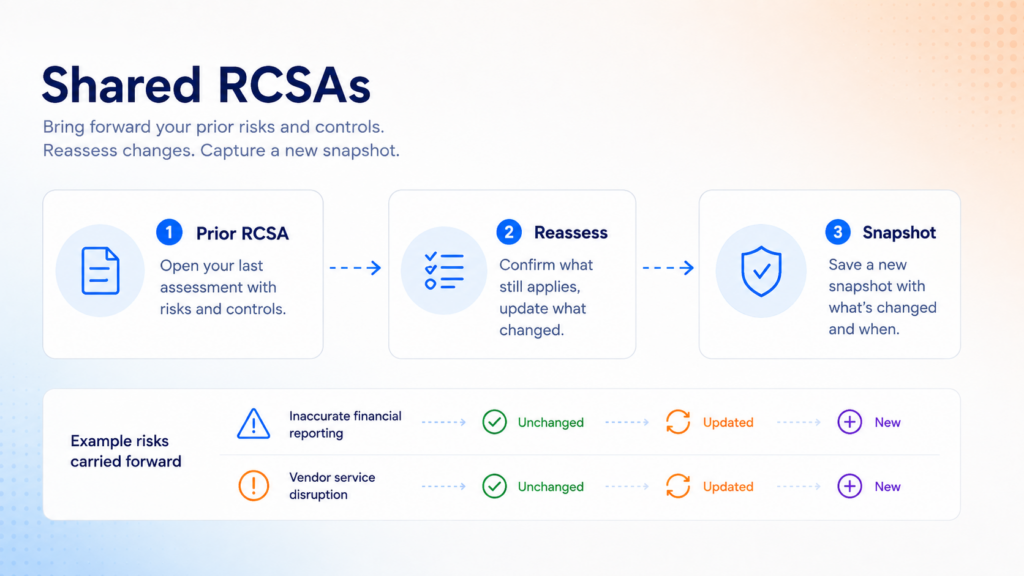
Business and process managers open an RCSA that already holds their risks and controls. They confirm what still applies, reassess what changed, and add what is new. Your team reviews and approves, and Archer snapshots the result.
Loss and indicator management
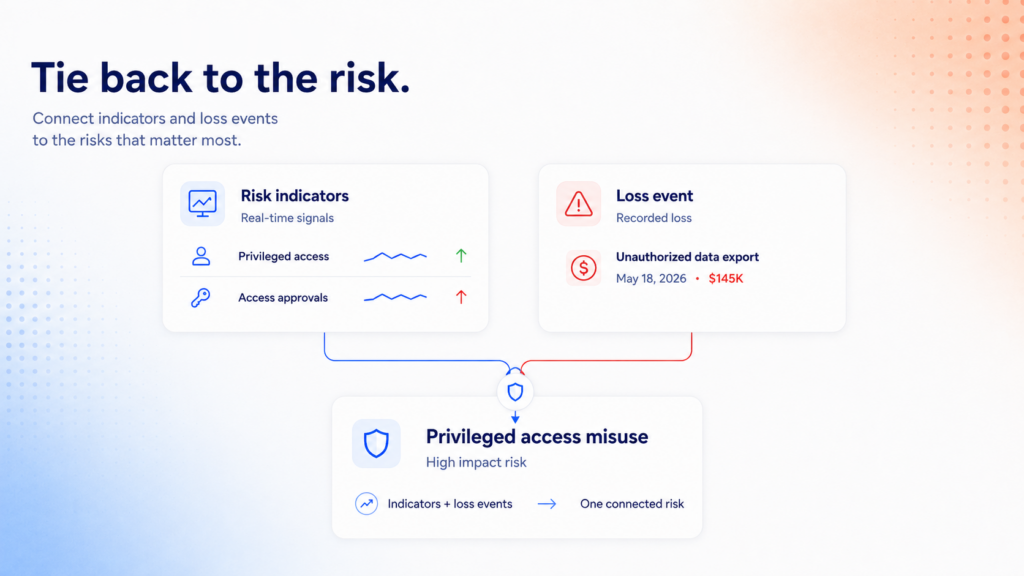
Your metric owners report indicators against red and amber thresholds, and anyone can log a loss event for root cause and impact analysis. Both tie back to the risks they touch, which puts evidence behind a rating instead of memory.
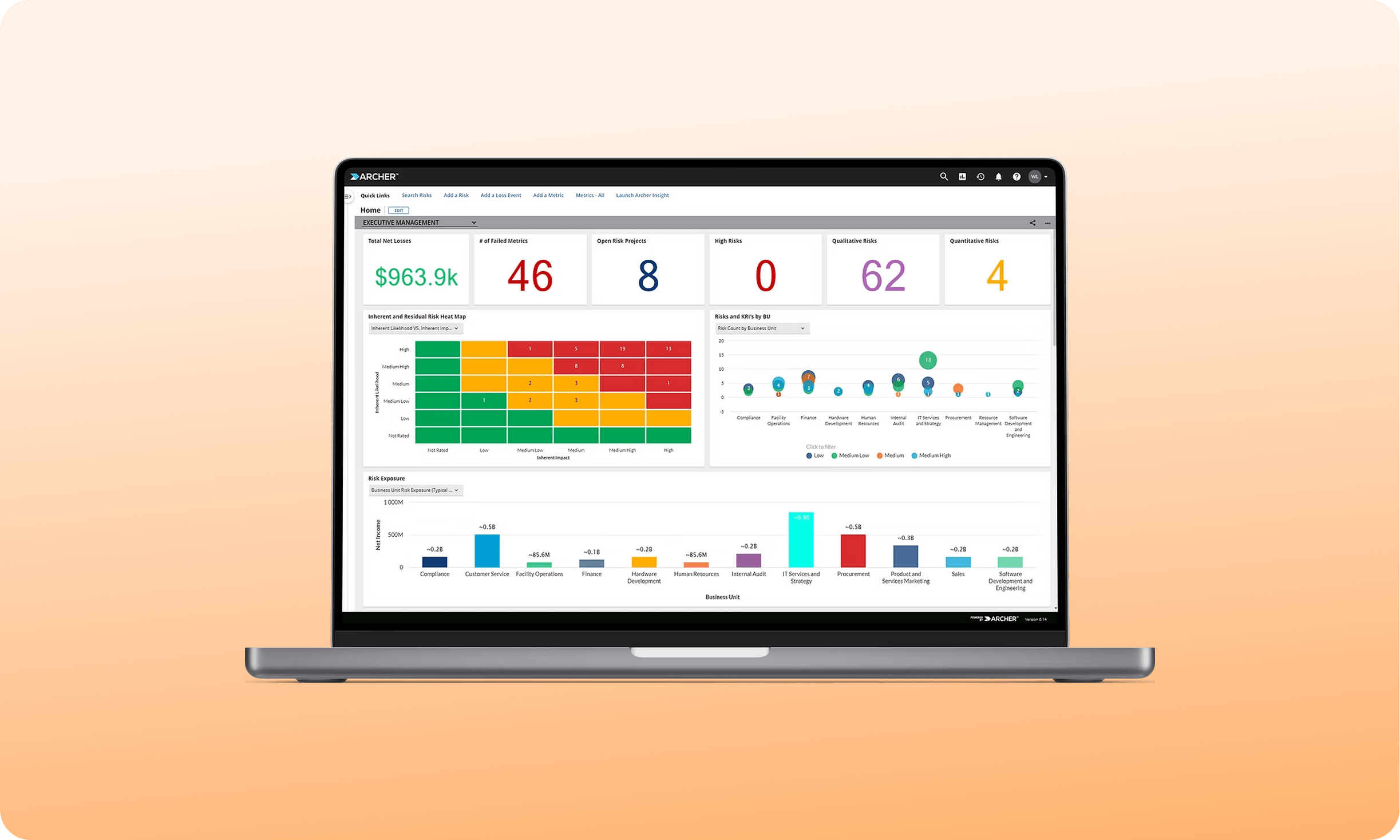
The images used above are not actual product screenshots.
Everything you need, nothing you don’t
Archer Evolv enables an integrated strategy across your risk and compliance functions.
-
Enterprise risk register
Every risk, by owner and by unit
-
Linked control library
Controls mapped to the risks they cover
-
RCSA campaign workflow
Scoped, routed, reviewed, approved
-
Loss event intake and review
Logged, analyzed, and linked back to risk
-
Key indicator monitoring
Thresholds tracked, owners tasked each cycle
-
Risk and loss dashboards
Prebuilt views for managers and the board
Seven questions to ask your own program
See how Archer GRC stacks up against generic tools and custom enterprise builds.
Generic AI Tools
Fast, but blind to your program
Here’s what you get
-
A general-purpose model
-
Confidence signal: None, it answers the same whether it’s right or not
-
Record update: None, you do it yourself
-
Guardrails: None built in
Archer
Built for teams that need real-time visibility and control.
Here’s what you get
-
Name your top ten enterprise risks right now
-
Show how your top risk moved since last quarter
-
Tell the board which controls cover that risk
-
Launch a full assessment cycle this week
-
See an indicator breach before the loss
-
Tie last quarter’s loss to a rating you changed
-
Hand leadership a view without building it
Traditional Database
Holds the data, but doesn’t act on it
Here’s what you get
-
Whatever’s in the tables, current as of the last load
-
Confidence signal: None, it was never asked to judge anything
-
Record update: Manual entry or batch load, no reasoning applied
-
Guardrails: None built in, enforcement happens outside the database if at all
Explore Our Case Studies

Eastern Bank Uses Archer to Drive Business Processes and Streamline Compliance
- View case study:
- View case study: Banorte Bank Gains Accurate Picture of Risk with Archer
- View case study: Intuitive Surgical Migrated to Archer SaaS for their journey to empowered risk management
- View case study: Operational Resilience for Financial Services Institutions
More than 1,300 organizations run on Archer®, including half the Fortune 500 and 37 of the top 50 global banks. See what their teams were up against, what they built, and what changed.
Eastern Bank Uses Archer to Drive Business Processes and Streamline Compliance

Banorte Bank Gains Accurate Picture of Risk with Archer

Intuitive Surgical Migrated to Archer SaaS for their journey to empowered risk management
Operational Resilience for Financial Services Institutions
Trusted by the teams who carry the risk
Risk, compliance, and audit leaders on what changed after Archer Evolv was implemented.

We recognized the need for a GRC software platform that would be central to our ability to improve and transform our enterprise risk and compliance processes.
Archer is the source of truth, and it creates a nice audit trail for us. As an insurance company, we're audited by every governmental entity. Now we can say, here's our repository, take a look.

Risk aggregation is a big point for us, to see where our risk is located within the organization, and to give greater visibility for boards and executives.

Turkcell is using Archer as the main GRC tool in the company. It provides us a transparent and safe governance framework.

Archer gives us the ability to boil things down into numbers and specifics versus generalities. It's management by fact versus intuition or feel.

It connects all the different applications together, so you can use those cross-references and connections to make better business decisions, because you have it all in one place.
Questions we hear most often
Plenty of vendors have one of these. The defensible position is having all three on the same foundation.
A list of business units with owners is the only requirement. Archer recommends a risk taxonomy in two levels, enterprise risks and intermediate risks beneath them. An existing register, control list, and loss history help but do not gate a start.
Yes. Changing the rating factors is a primary feature, not a customization you fight for. The RCSA keeps working, though your team should update the Risk and Control Matrix report and the snapshot data feeds so new fields carry into reporting.
Archer builds the solution on COSO for enterprise risk management, ISO 31000 for assessment method, the NIST Risk Management Framework for a risk based approach to systems, and Basel II for operational risk. Align the program, then run it in Archer.
An administrator shares a direct link to the Loss Event application with any provisioned user holding the create role. For employees outside Archer, build an Archer Engage form and share that link, so intake reaches people who never log in.
Business impact analysis results from the Resilience solution roll into a process based RCSA, so criticality, RTO, RPO, and MTPD sit beside your risk ratings. Archer Evolv Foundation then queries across domains in plain language and cites the record.