
Fix Your Archer Data Before an Auditor Finds It
Duplicate records, vague entries and unused fields pile up faster than any team can clean them by hand. Foundation agents find the problems, propose fixes with evidence, and change records only after an administrator confirms.
48
Generally Available
8
GRC Domains
-
26
In Build Now
-
151+
On the Roadmap
アーチャー・エボルブ財団
Keep GRC data clean, connected, and ready for action. Put AI to work behind every GRC domain to eliminate duplicate records, improve data quality, and streamline workflows.
-
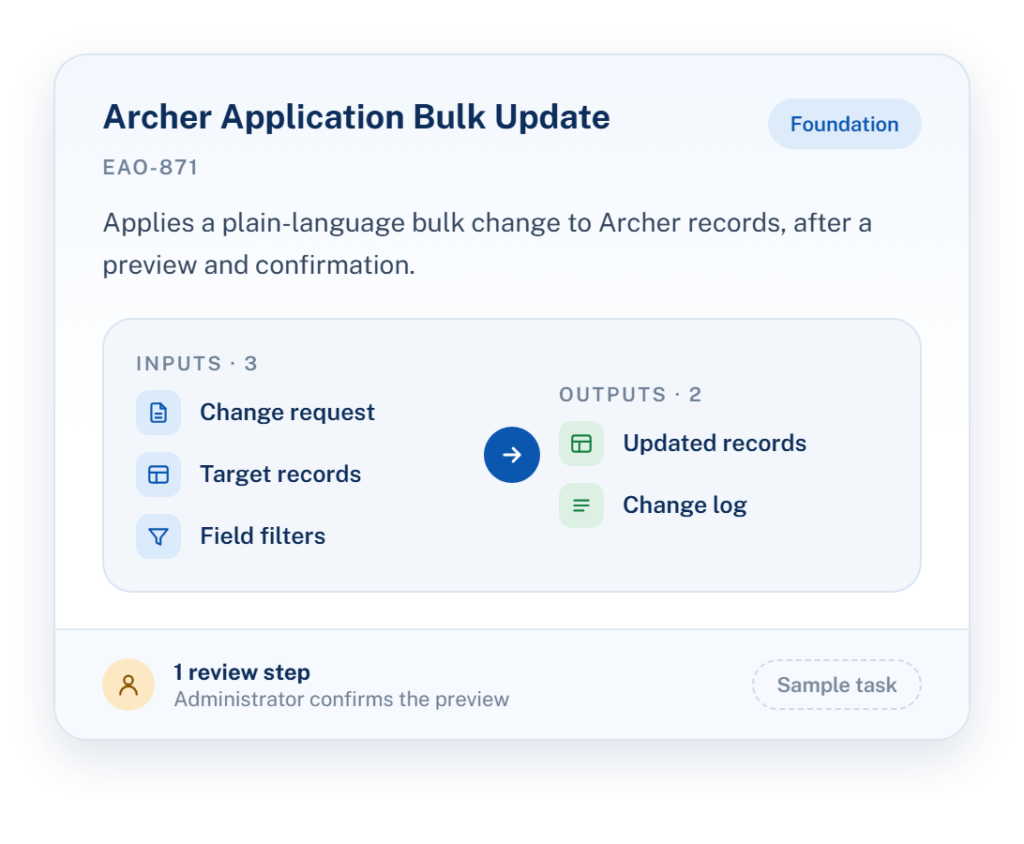
Archer Application Bulk Update
Update GRC records at scale without the manual effort. Tell AI what needs to change, preview the proposed updates, and approve execution with every change tracked and logged.
View agent : Archer Application Bulk Update -
Archer Application Review
Scans an application's configuration against a library of known best practices and anti-patterns, scores its health, and returns a prioritized list of improvements with the fix attached for an administrator to accept or dismiss.
View agent : Archer Application Review -
Archer Application Record Deduplication
Finds duplicate records across any Archer application using text similarity and semantic matching, clusters the candidates, and puts them in front of an administrator side by side. You pick the canonical record; the agent merges and re-points the relationships.
View agent : Archer Application Record Deduplication -
Application Record Vagueness Detection
Scans free-text fields in any Archer application for vague, incomplete or non-compliant content, and returns a precise reason plus a suggested revision for every flag. Name the application in chat to begin. Strictly read-only.
View agent : Application Record Vagueness Detection -
Archer Application Field Utilization
Analyses fill rate, query usage and value variance across every field in an Archer application, then recommends Keep, Hide, Deprecate or Consolidate for each one, with a safe path for the fields you agree to retire.
View agent : Archer Application Field Utilization -
Archer Application-to-Core Convergence
Detects custom Archer applications that overlap something core Archer already does, measures how far the overlap goes, and produces a scored Keep, Merge or Retire recommendation with the migration or decommission path attached.
View agent : Archer Application-to-Core Convergence -
系譜およびレポート分析
Maps how an application and its fields connect to other applications, calculations and reports, then answers the question that matters before a change: what breaks if I alter this field. Read-only throughout.
View agent : Lineage & Reporting Intelligence -
Health & Configuration Advisor
Audits the configuration health of any Archer application across History Logs, Calculations, Advanced Workflow and Reports. Scores each finding, ranks what to fix first, and drafts the fix. Strictly read-only: it never changes configuration and never touches record data.
View agent : Health & Configuration Advisor -
Workflow & Process Intelligence
Compares the workflow you designed against how records actually move. Stalls, bottlenecks and records that never complete are surfaced continuously, with SLA, escalation and reassignment rules drafted for an administrator to accept.
View agent : Workflow & Process Intelligence -
Lifecycle & Relevance Monitor
Watches every Archer application for platform overlap, usage decay and complexity mismatch, then recommends Maintain, Migrate to Core or Archive. Every recommendation arrives with an evidence pack and a governance task ready for leadership sign-off.
View agent : Lifecycle & Relevance Monitor -
Summarizer: GRC Co-Pilot
Plain-language summaries of any Archer record or application in seconds, calibrated to the reader's role, with conversational follow-up on the same record. Generated inside the system of record, so nothing is copied into another tool.
View agent : Summarizer: GRC Co-Pilot -
Record Intake
Guides a first-line user through creating any Archer record, asking targeted questions for the fields that matter, so the record arrives complete without the user needing to know your risk language.
View agent : Record Intake
財団
12Runs beneath every domain
Runs beneath every domain
-
Archer Application Bulk Update
Update GRC records at scale without the manual effort. Tell AI what needs to change, preview the proposed updates, and approve execution with every change tracked and logged.
View agent : Archer Application Bulk Update -
Archer Application Review
Scans an application's configuration against a library of known best practices and anti-patterns, scores its health, and returns a prioritized list of improvements with the fix attached for an administrator to accept or dismiss.
View agent : Archer Application Review -
Archer Application Record Deduplication
Finds duplicate records across any Archer application using text similarity and semantic matching, clusters the candidates, and puts them in front of an administrator side by side. You pick the canonical record; the agent merges and re-points the relationships.
View agent : Archer Application Record Deduplication -
Application Record Vagueness Detection
Scans free-text fields in any Archer application for vague, incomplete or non-compliant content, and returns a precise reason plus a suggested revision for every flag. Name the application in chat to begin. Strictly read-only.
View agent : Application Record Vagueness Detection -
Archer Application Field Utilization
Analyses fill rate, query usage and value variance across every field in an Archer application, then recommends Keep, Hide, Deprecate or Consolidate for each one, with a safe path for the fields you agree to retire.
View agent : Archer Application Field Utilization -
Archer Application-to-Core Convergence
Detects custom Archer applications that overlap something core Archer already does, measures how far the overlap goes, and produces a scored Keep, Merge or Retire recommendation with the migration or decommission path attached.
View agent : Archer Application-to-Core Convergence -
系譜およびレポート分析
Maps how an application and its fields connect to other applications, calculations and reports, then answers the question that matters before a change: what breaks if I alter this field. Read-only throughout.
View agent : Lineage & Reporting Intelligence -
Health & Configuration Advisor
Audits the configuration health of any Archer application across History Logs, Calculations, Advanced Workflow and Reports. Scores each finding, ranks what to fix first, and drafts the fix. Strictly read-only: it never changes configuration and never touches record data.
View agent : Health & Configuration Advisor -
Workflow & Process Intelligence
Compares the workflow you designed against how records actually move. Stalls, bottlenecks and records that never complete are surfaced continuously, with SLA, escalation and reassignment rules drafted for an administrator to accept.
View agent : Workflow & Process Intelligence -
Lifecycle & Relevance Monitor
Watches every Archer application for platform overlap, usage decay and complexity mismatch, then recommends Maintain, Migrate to Core or Archive. Every recommendation arrives with an evidence pack and a governance task ready for leadership sign-off.
View agent : Lifecycle & Relevance Monitor -
Summarizer: GRC Co-Pilot
Plain-language summaries of any Archer record or application in seconds, calibrated to the reader's role, with conversational follow-up on the same record. Generated inside the system of record, so nothing is copied into another tool.
View agent : Summarizer: GRC Co-Pilot -
Record Intake
Guides a first-line user through creating any Archer record, asking targeted questions for the fields that matter, so the record arrives complete without the user needing to know your risk language.
View agent : Record Intake
Clean Up GRC Data Without the Manual Work
Duplicate records, vague entries, unused fields and redundant applications build up in every Archer instance, and finding them by hand takes weeks. Archer Evolv Foundation agents take on that work end to end: they detect problems, recommend fixes, apply approved changes and keep data clean over time.
Detect
Foundation agents scan the instance for duplicate records, vague entries, unused fields and redundant applications, and flag each problem with the records it affects.
Handled by
Archer Data Quality Scan · Field Usage Review
決める
For every issue found, agents recommend a fix and explain why. Administrators review the recommendations and approve the ones they want applied.
Handled by
Archer Cleanup Recommendations
Apply
Once a fix is approved, Foundation agents make the change. Administrators describe it in plain language, review a preview of the affected records and field values, and confirm before anything is written.
Handled by
Archer Application Bulk Update (EAO-871) · Record Intake
Verify
Agents check that every change landed as intended, report any records that could not be updated, and log the results for audit.
Handled by
Archer Change Verification · TRACE
Maintain
Agents keep watching for new problems as data changes, so the instance stays clean over time instead of drifting back.
Handled by
Archer Data Quality Monitoring
Before and after
The people who own GRC data rarely have time to audit it.
Spreadsheets and cleanup sprints
Today, data quality means exports, manual review and one-off cleanup projects.
What it takes today
-
Export records to spot duplicates and gaps by hand
-
Guess which fields and applications are still in use
-
Fix records one at a time or wait for a developer
-
Problems return as soon as the project ends
Detect, decide, apply, verify
Agents find the problems, propose fixes with evidence, and keep data clean continuously.
What changes
-
Duplicates, vague entries and unused fields flagged automatically
-
Recommendations with evidence before any change is made
-
Hard confirmation gate before anything is written
-
Every run logged to TRACE
See Foundation Agents in Action
Watch Archer Application Bulk Update reassign records in minutes, from request and review to approved changes and documented results.
-
1
Describe the change
Tell AI what records need updating and what should change, using everyday language. No scripts or API expertise required.
-
2
Review the preview
AI identifies matching records and shows the proposed changes, including record counts and before-and-after values.
-
3
Confirm and track
Confirm the updates and let AI complete the work. Review the results, including any records that couldn’t be updated, with changes logged in TRACE.